VPN for iOS
You’re at your gate 20 minutes before boarding, so you open the airport Wi-Fi, check your bank balance, and reply to a work email. Meanwhile, your iPhone is silently leaking more than you’d expect — even with iOS’s reputation for tight security, the operating system was never designed to give a VPN app the same low-level network control that Android or desktop platforms allow.
Want to skip the research?
To find a provider that works right out of the box for your exact setup, take the 30-Second VPN Leaderboard Quiz below.
iOS is a walled garden, and that’s usually a good thing for security — but it also means VPN apps on iPhone and iPad have to work within Apple’s rules rather than around them. Some of the “must-have” VPN features you’ve read about for Windows or Android either work differently on iOS or aren’t available at all. Choosing the right VPN — and configuring it correctly — matters more on iOS than most guides let on.
⚡ Quick Facts
Is a VPN Worth It on iPhone? Yes — but the feature set differs from desktop. Apple’s NetworkExtension framework means every iOS VPN app uses the same underlying system APIs, so encryption strength (AES-256) is consistent across providers. What separates good iOS VPN apps from weak ones is how they handle On-Demand connection rules, IPv6 leak protection, and behaviour when switching between Wi-Fi and cellular. NordVPN, ExpressVPN, and Surfshark all offer dedicated iOS apps with a working “Connect On Demand” kill-switch equivalent, native Siri Shortcuts support, and iOS 17+ compatibility. Split tunneling — routing some apps through the VPN and others outside it — is not supported by Apple on iOS for most providers, a limitation worth knowing before you buy. For a full side-by-side of providers across every platform, see our Best VPN 2026 Guide.
Why iOS VPN Apps Behave Differently
Apple sandboxes every app on iOS, including VPN clients. Rather than letting a VPN app manipulate the network stack directly, iOS requires apps to use the NetworkExtension framework, which hands control of tunnel creation, routing, and on-demand rules to the operating system itself. This has real consequences for how VPNs function on iPhone and iPad compared to Windows, macOS, or Android.
1. No True Split Tunneling
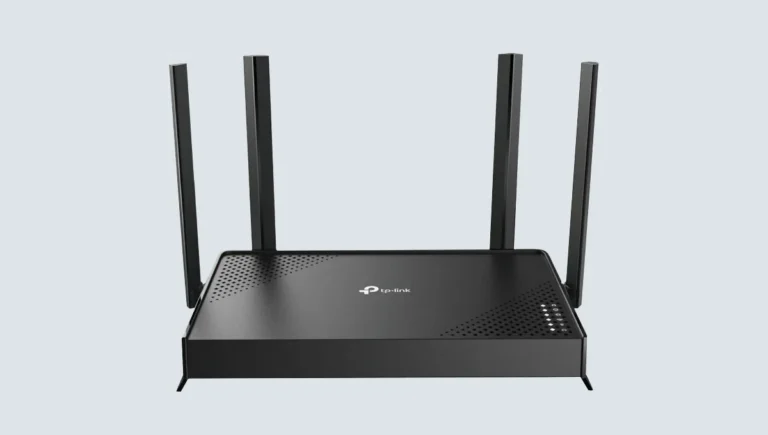
Split tunneling lets you route specific apps through the VPN while others use your regular connection directly — useful for keeping banking apps outside the tunnel or streaming local content while torrenting through the VPN. Apple does not expose the APIs needed for full per-app split tunneling on iOS. A handful of providers offer a limited version restricted to excluding certain domains or trusted networks, but none offer the granular per-app control available on desktop or Android. If split tunneling by app is essential to your workflow, that use case is better served on a laptop or an always-on router-level VPN that protects every device on your home network without relying on per-app iOS controls.
2. “On-Demand” Replaces the Traditional Kill Switch
A conventional kill switch blocks all traffic if the VPN drops. On iOS, this is implemented through Apple’s “Connect On Demand” system, which reconnects the VPN automatically based on rules the app sets — specific Wi-Fi networks, cellular data, or any untrusted connection. Not every provider configures this correctly out of the box, and some require you to manually enable On-Demand mode in Settings rather than within the app itself. A provider that markets a “kill switch” on iOS should be verified independently, since the underlying mechanism is different from the system-level block used on Windows or macOS.
DESKTOP KILL SWITCH:
App directly blocks all outbound traffic at the OS network layer when the tunnel drops

iOS "ON-DEMAND" EQUIVALENT:
App registers rules with Apple's NetworkExtension framework ---> iOS reconnects the tunnel automatically
                              A gap can exist between disconnection and reconnection unless On-Demand is configured correctly
3. iCloud Private Relay Can Conflict With Your VPN
Apple’s own Private Relay feature (part of iCloud+) routes Safari traffic through two relays to hide your IP address from websites and Apple itself. Running Private Relay and a third-party VPN simultaneously can cause connection failures, DNS conflicts, or one service silently overriding the other. Most iOS VPN providers recommend disabling Private Relay in Settings while the VPN is active to avoid unpredictable behaviour, since Apple’s system does not treat third-party VPNs as a compatible layer rather than a competing one.
4. Background App Refresh and VPN Reconnection
iOS aggressively manages battery life by suspending background processes, including VPN apps, when the device is locked or idle for extended periods. Depending on how a provider’s app is built, this can cause the VPN tunnel to silently disconnect without a visible notification. Providers with a properly implemented On-Demand configuration reconnect automatically once the device wakes, but apps built without this in mind can leave you unprotected without any indication until you next check the app.
What a VPN Protects on iOS — and What It Does Not
| Threat / Use Case | VPN Protects? | Notes |
|---|---|---|
| Public Wi-Fi interception | ✅ Yes | AES-256 tunnel encrypts traffic regardless of network |
| ISP or carrier tracking | ✅ Yes | Traffic routed through VPN server, hidden from your carrier |
| App-level tracking by advertisers | ⚠️ Partial | A VPN hides IP-based tracking but not device fingerprinting or ad IDs |
| Region-locked streaming content | ✅ Yes | Depends on provider’s server network and unblocking ability |
| Per-app split tunneling | ❌ Largely no | Apple restricts full per-app tunneling on iOS |
| Malicious apps or App Store scams | ❌ No | A VPN does not vet apps — Apple’s App Store review does that |
| Silent disconnects on locked screen | ⚠️ Partial | Depends on provider’s On-Demand implementation |
Critical Features to Check Before Choosing an iOS VPN
- Verified On-Demand / auto-reconnect: Look for explicit confirmation that the app configures iOS’s Connect On Demand rules automatically, rather than requiring you to build the rule yourself in the Settings app.
- IPv6 and DNS leak protection: iOS devices frequently negotiate IPv6 addresses on cellular and Wi-Fi networks. A provider that only tunnels IPv4 traffic can leak your real location and browsing destinations over IPv6 even while “connected.”
- Siri Shortcuts and automation support: Several leading providers let you build a Shortcuts automation that activates the VPN whenever you leave a trusted location or join a new Wi-Fi network — a practical workaround for iOS’s limited native automation options.
- Lightweight protocol support (WireGuard or equivalent): Older protocols like OpenVPN drain iPhone battery faster and reconnect more slowly after the app is suspended. WireGuard-based protocols (NordLynx, Lightway) are built for exactly the connect/disconnect cycle that iOS’s background management creates.
- App Store transparency labels: Every iOS app must disclose a Privacy Nutrition Label. Compare a provider’s declared data collection against its written no-logs policy before installing — discrepancies are a useful red flag.
The Best VPNs for iOS in 2026
1. NordVPN — Best Overall iOS App
NordVPN’s iOS app is built on NordLynx, its WireGuard-based protocol, which reconnects fast after the app is suspended by iOS’s background management — a common weak point for less optimised apps. Its On-Demand configuration is handled automatically inside the app rather than requiring a manual Settings profile, and Threat Protection Pro adds domain-level malware and tracker blocking that iOS’s own Safari protections do not cover. Full details on its no-logs infrastructure and pricing are in our NordVPN Review.
- NordLynx Protocol: WireGuard-based, optimised for the frequent reconnect cycles caused by iOS suspending background apps.
- Auto-Connect Rules: Configurable per network type — cellular, trusted Wi-Fi, or untrusted Wi-Fi — set directly within the app.
- Threat Protection Pro: Blocks malicious domains and trackers at the DNS level, working alongside Safari rather than replacing its protections.
- Widget Support: Home Screen widget lets you toggle the VPN connection without opening the full app.
- Price: From $3.09/mo on a 2-year plan. Full comparison in our Best Cheap VPN Guide.
- Best for: iPhone users who want the most reliable auto-reconnect behaviour with minimal manual configuration.
2. ExpressVPN — Best for Simplicity and Speed
ExpressVPN’s Lightway protocol was purpose-built with mobile battery efficiency and fast reconnection in mind, which shows clearly on iOS — reconnects after a suspended session typically complete in under a second. The app’s interface is deliberately minimal, with a single connect button and clear country selection, making it a strong choice for users who want dependable protection without digging through settings menus. See how it stacks up directly against Nord and Surfshark in our NordVPN vs ExpressVPN vs Surfshark comparison.
- Lightway Protocol: Built specifically for fast, battery-efficient reconnection — a direct answer to iOS’s background app suspension.
- Simple UI: Minimal settings surface reduces the risk of a misconfigured On-Demand rule.
- Threat Manager: Blocks trackers and known malicious domains network-wide while connected.
- Price: From $2.79/mo on a 2-year plan, renewing at $99.95/year.
- Best for: Users who want a “set it and forget it” iOS VPN with minimal configuration.
3. Surfshark — Best Value for Multiple Apple Devices
If your household runs an iPhone, iPad, and a MacBook, Surfshark’s unlimited simultaneous device connections mean every Apple device is covered under one subscription rather than paying per device. Its Camouflage Mode disguises VPN traffic as regular HTTPS, useful on university or corporate Wi-Fi networks that block standard VPN protocols on managed iPhones. Full breakdown in our Surfshark Review.
- Unlimited Devices: One subscription across iPhone, iPad, Mac, and any other device in the household.
- Camouflage Mode: Disguises VPN traffic on networks that actively detect and block VPN protocols.
- CleanWeb 2.0: Built-in ad and tracker blocking that reduces mobile data usage on cellular connections.
- Price: From $2.49/mo on a 2-year plan, renewing at $99.95/year.
- Best for: Families or multi-device Apple households wanting broad coverage at low cost.
4. Proton VPN — Best Free iOS Option
Proton VPN remains the only major provider with a genuinely unlimited-data free tier on iOS, maintaining the same encryption standard as its paid plans while restricting server choice and speed. For iPhone users who want basic public Wi-Fi protection without a subscription, it is the most credible free option available on the App Store.
- Free Tier: No data cap, full AES-256 encryption, functional On-Demand reconnection.
- Secure Core: Paid tiers route traffic through hardened Swiss and Icelandic servers before exit.
- Swiss Jurisdiction: Operates outside EU and US data retention frameworks.
- Price: Free tier permanently available; paid plans from $2.99/mo.
- Best for: Occasional iPhone users who want no-cost protection on public Wi-Fi.
5. CyberGhost — Best for Simple Streaming Access on iOS
CyberGhost’s iOS app labels servers by use case — streaming, torrenting, or “for gamers” — which removes the guesswork of picking the right server manually. This makes it a straightforward option for iPhone users whose primary use case is unblocking region-restricted apps and streaming platforms rather than advanced privacy configuration. Full details in our CyberGhost Review.
- Use-Case Server Labels: Servers pre-tagged by streaming platform or purpose, simplifying selection on a small mobile screen.
- 45-Day Money-Back Guarantee: Longer trial window than most competitors, useful for testing iOS performance on your specific network.
- NoSpy Servers: Self-owned server infrastructure in Romania for users wanting additional operational assurance.
- Price: From $2.19/mo on a long-term plan.
- Best for: iPhone users primarily focused on streaming access rather than advanced privacy settings.
📱 Not Sure Which VPN Fits Your iPhone Setup?
The right VPN for iOS depends on how many Apple devices you’re covering, whether streaming or privacy is your priority, and how much you’re willing to spend. Use our interactive VPN Leaderboard Quiz to match your needs against a tested database of providers.
iOS VPN Comparison Table
| Provider | Protocol | On-Demand Auto-Reconnect | Free Tier | Widget Support | Starting Price |
|---|---|---|---|---|---|
| NordVPN | NordLynx (WireGuard) | ✅ Yes | ❌ No | ✅ Yes | $3.09/mo |
| ExpressVPN | Lightway | ✅ Yes | ❌ No | ✅ Yes | $2.79/mo |
| Surfshark | WireGuard | ✅ Yes | ❌ No | ✅ Yes | $2.49/mo |
| Proton VPN | WireGuard | ✅ Yes | ✅ Yes | ✅ Yes | $2.99/mo |
| CyberGhost | WireGuard | ✅ Yes | ❌ No | ⚠️ Limited | $2.19/mo |
How to Set Up a VPN on iPhone or iPad: Step by Step
- Download the app from the App Store only: Never install a VPN configuration profile from a third-party website — install only through Apple’s own App Store, which vets developer accounts before publishing.
- Allow the VPN configuration when prompted: iOS will show a system dialog asking permission to add VPN configurations. This is expected and required — without it, the app cannot create the encrypted tunnel.
- Enable Connect On Demand in the app’s settings: Look for an auto-connect, on-demand, or “always-on” toggle within the app itself, and set it to trigger on all Wi-Fi networks plus cellular data, not just untrusted networks.
- Disable iCloud Private Relay while the VPN is active: Go to Settings, tap your Apple ID, then iCloud, and turn off Private Relay to avoid conflicting routing between the two services.
- Turn off Wi-Fi Assist conflicts if reconnects feel slow: In Settings under Cellular, Wi-Fi Assist can occasionally interact unpredictably with a VPN switching between Wi-Fi and cellular — test with it off if you notice frequent drops.
- Set up a Shortcuts automation for extra reliability: In the Shortcuts app, create an automation that runs “Connect VPN” whenever you join a new or unrecognised Wi-Fi network, as a backstop to the app’s own On-Demand rules.
- Verify the connection with a leak test: After connecting, visit ipleak.net in Safari to confirm no IPv6 address or DNS request is leaking outside the tunnel.
Common iOS-Specific Use Cases
- Streaming on the go: Region-locked apps and streaming platforms are common on iPhone during travel. For a full walkthrough of which providers reliably unblock the biggest platforms, see our VPN for Netflix Guide.
- Mobile gaming and reduced lag: Some iOS gamers use a VPN to connect to a closer regional server for reduced ping in competitive mobile titles. Server load and protocol choice matter more than raw speed claims here — see our Best VPN for Gaming Guide for provider-specific latency notes.
- Public Wi-Fi while travelling: Airport, hotel, and cafe Wi-Fi remain the highest-risk everyday scenario for an iPhone. Our VPN for Public Wi-Fi Guide covers the specific attack types a VPN protects against.
- Budget-conscious multi-year plans: Because iOS apps from major providers share the same account across platforms, a long-term plan bought for desktop use extends automatically to iPhone at no extra cost — see our Best Cheap VPN Guide for the lowest verified per-month pricing.
Frequently Asked Questions
Does iPhone need a VPN if it already has strong built-in security?
iOS’s sandboxing and App Store review process reduce the risk of malware, but they do nothing to encrypt your network traffic on public Wi-Fi, hide your IP address from websites, or prevent your carrier and network operators from seeing which sites you visit. A VPN addresses a different layer of the security stack entirely — network-level encryption — that Apple’s built-in protections were never designed to cover.
Can I use a VPN and iCloud Private Relay at the same time?
Technically both can be enabled, but they often conflict, since each attempts to control your traffic routing independently. Most providers recommend disabling Private Relay while your VPN is active to avoid unpredictable connection behaviour or one service silently taking priority over the other.
Why doesn’t my VPN support split tunneling on iPhone?
Apple restricts the low-level networking APIs needed for full per-app split tunneling on iOS, unlike Android or desktop platforms. A small number of providers offer limited workarounds, such as excluding specific domains or trusted networks from the tunnel, but none currently offer the granular per-app control common elsewhere.
Will a VPN drain my iPhone’s battery?
Modern WireGuard-based protocols like NordLynx and Lightway are built for mobile efficiency and have a comparatively small impact on battery life. Older protocols such as OpenVPN draw noticeably more power, particularly during the frequent reconnect cycles caused by iOS suspending background apps. Choosing a provider with a WireGuard-based protocol minimises this effect.
Is it safe to use a free VPN app from the App Store?
App Store review checks for basic malicious behaviour but does not audit a VPN provider’s logging practices or business model. Many free VPN apps monetise through data collection or ad injection, which defeats the purpose of using a VPN in the first place. Proton VPN’s free tier is a documented exception, maintaining full encryption and no data cap without a paid subscription.
Do I need a VPN for iMessage and FaceTime?
Apple’s iMessage and FaceTime already use end-to-end encryption by default, so a VPN adds no meaningful protection to the content of those communications. A VPN can still hide the fact that you’re using these services from a network operator, and is more relevant for general browsing, banking, and other unencrypted or metadata-exposed traffic on the same connection.